
Question
Disabling the "Remove Participant" session tool button in Remote Support Rep Console?
Is there a way to disable this action/button?
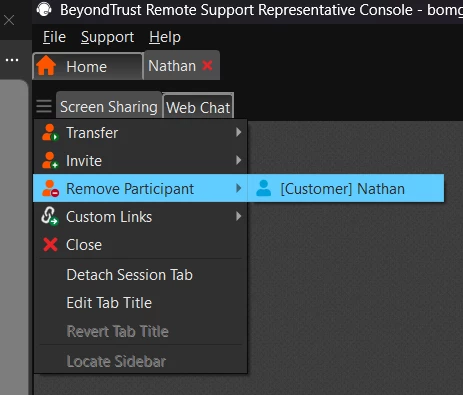
When a rep removes a customer using this button, the system message in the chat transcript logs it as “Event Type: Conference Member Departed” and “Performed by: [customer name]” which gives the appearance that it was customer initiated. In the chat pane, it displays “(timestamp) [customer name] has left the conversation.”
The only mention of “Remove Participant” in the documentation is in the rep doc and appears in the Session Tools section on a list of actions with dedicated icons.
As to why disable the button, it is a potential work avoidance issue and the current level of logging makes it difficult to track.


