

Context
Google Cloud provides Vertex AI and other services to allow organizations to create AI Agents, including Conversational Agents.
During operations, AI Agents may need access to tools and associated credentials. This example show how Password Safe can be used to allow the AI Agents to access the privileged credentials they need at runtime.
Here is the flow for the demo video:
1- The Agent retrieves Password Safe credentials from Google Secret Manager
2- The Agent uses Password Safe credentials to check-out ServiceNow credentials
3- The Agent uses the ServiceNow credentials to create a new ServiceNow incident.
Configuration
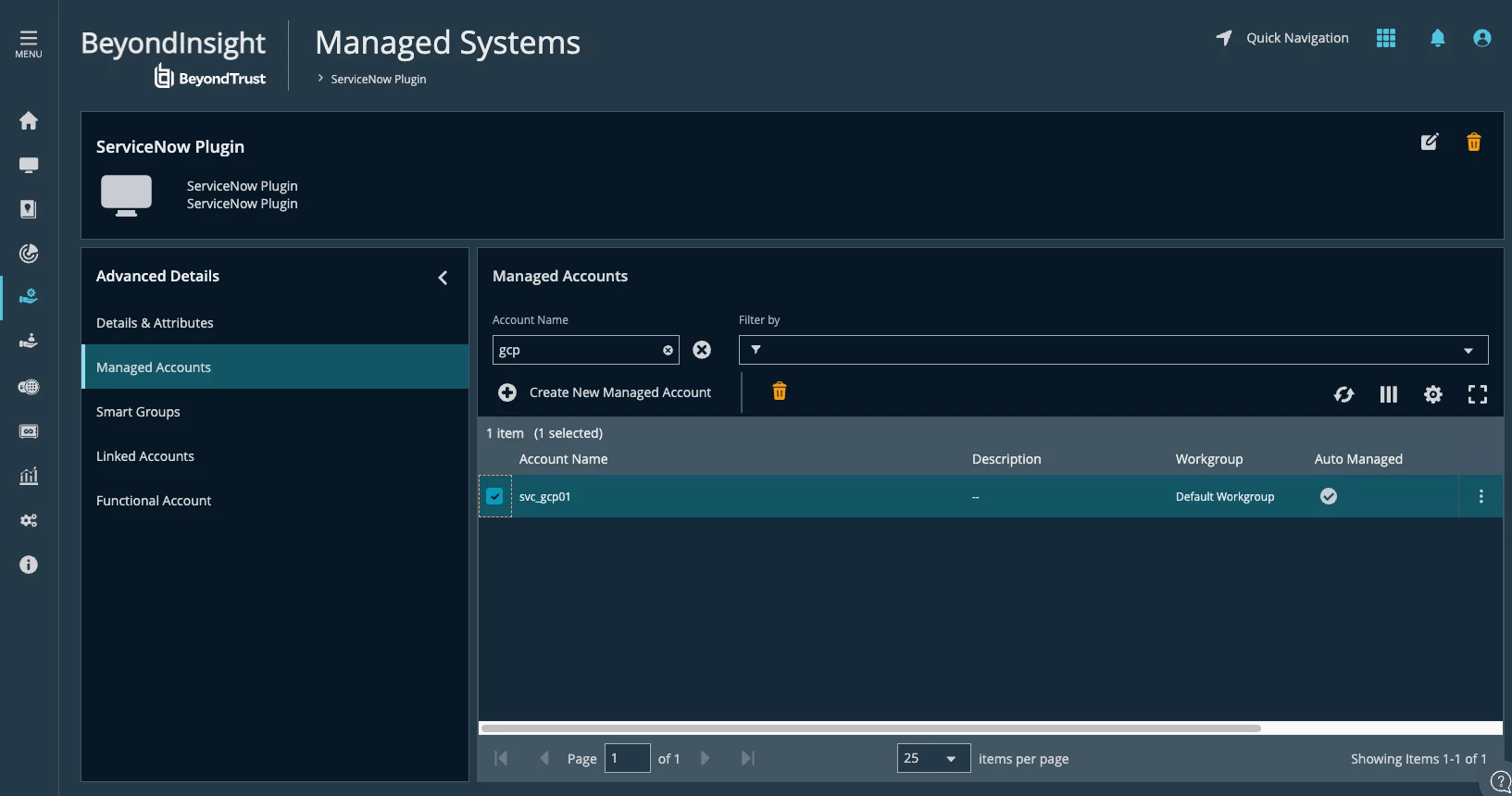
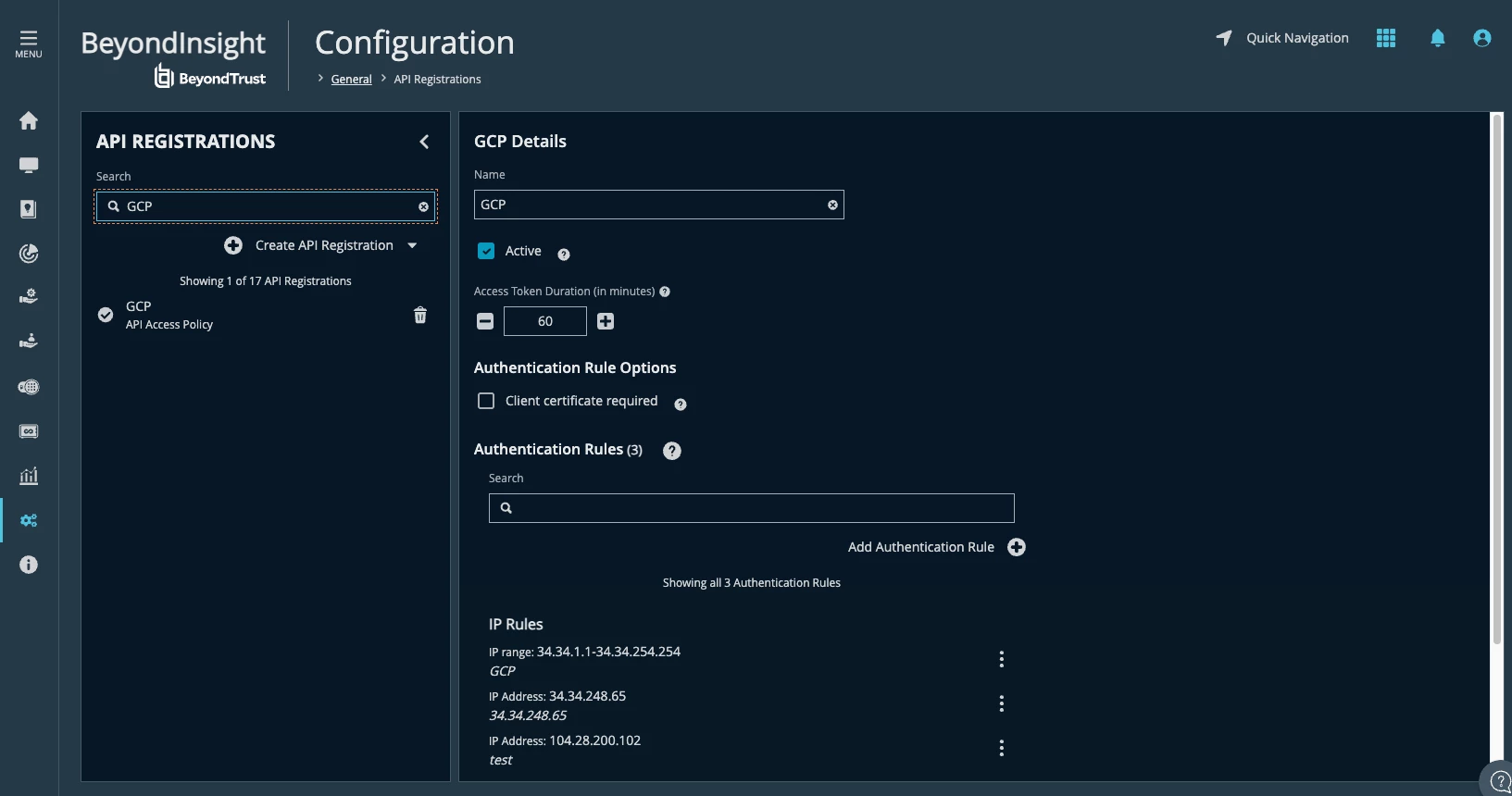
Note: You can access Configuration/User Audits to see if the Google Cloud source IP is blocked.
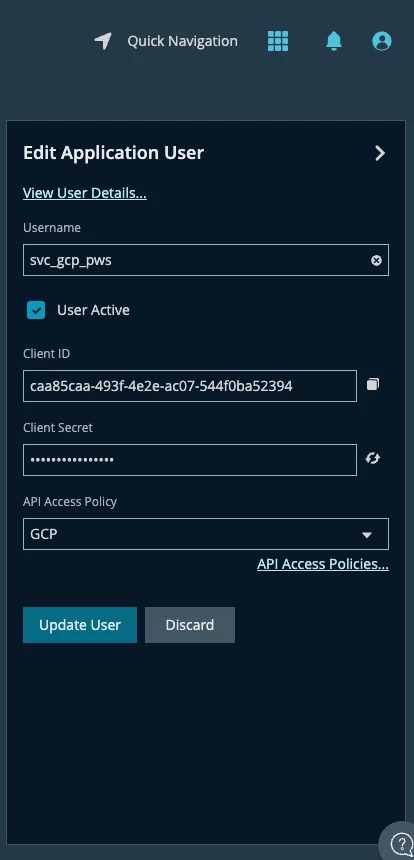
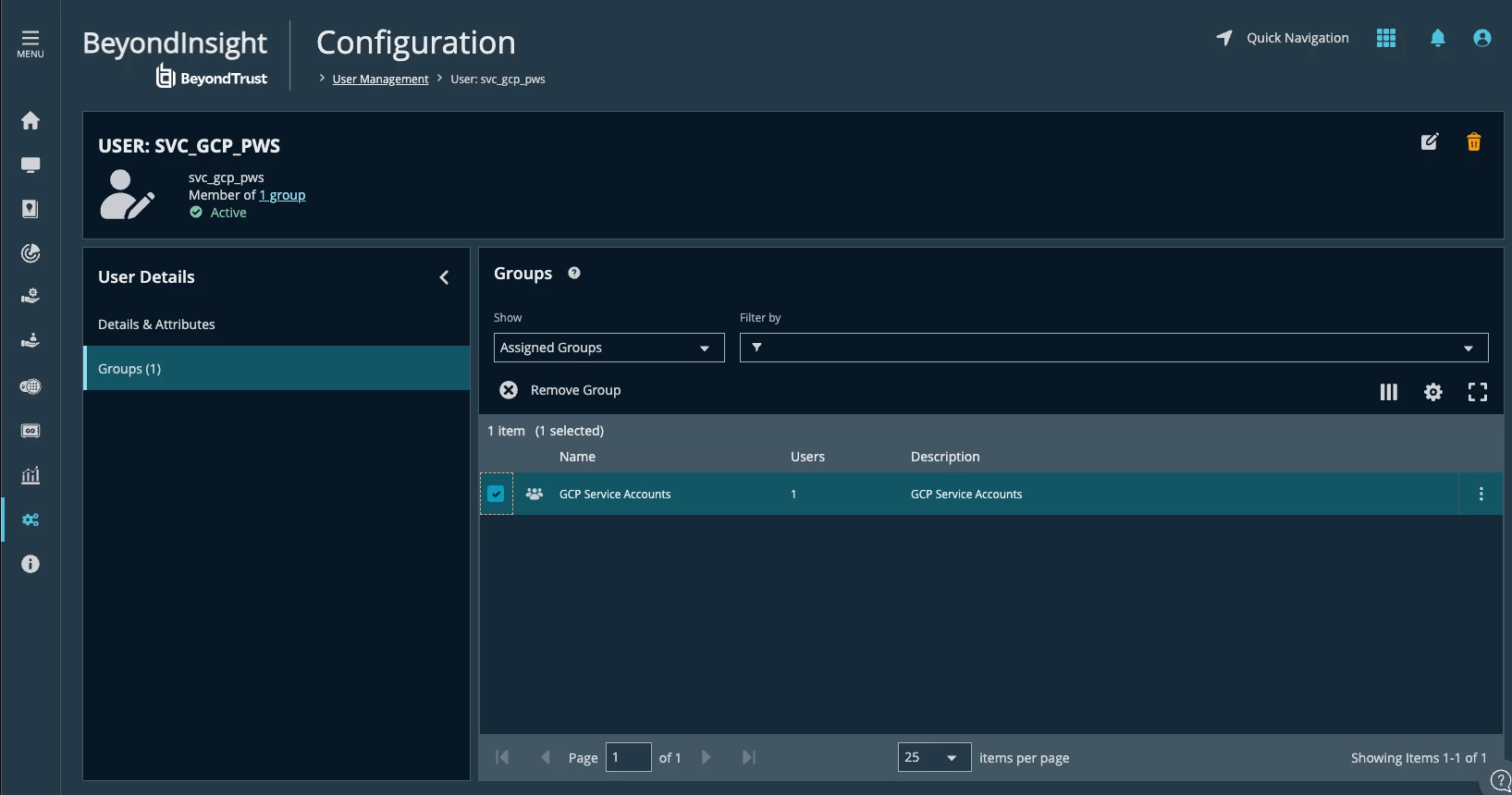
Google Cloud configuration
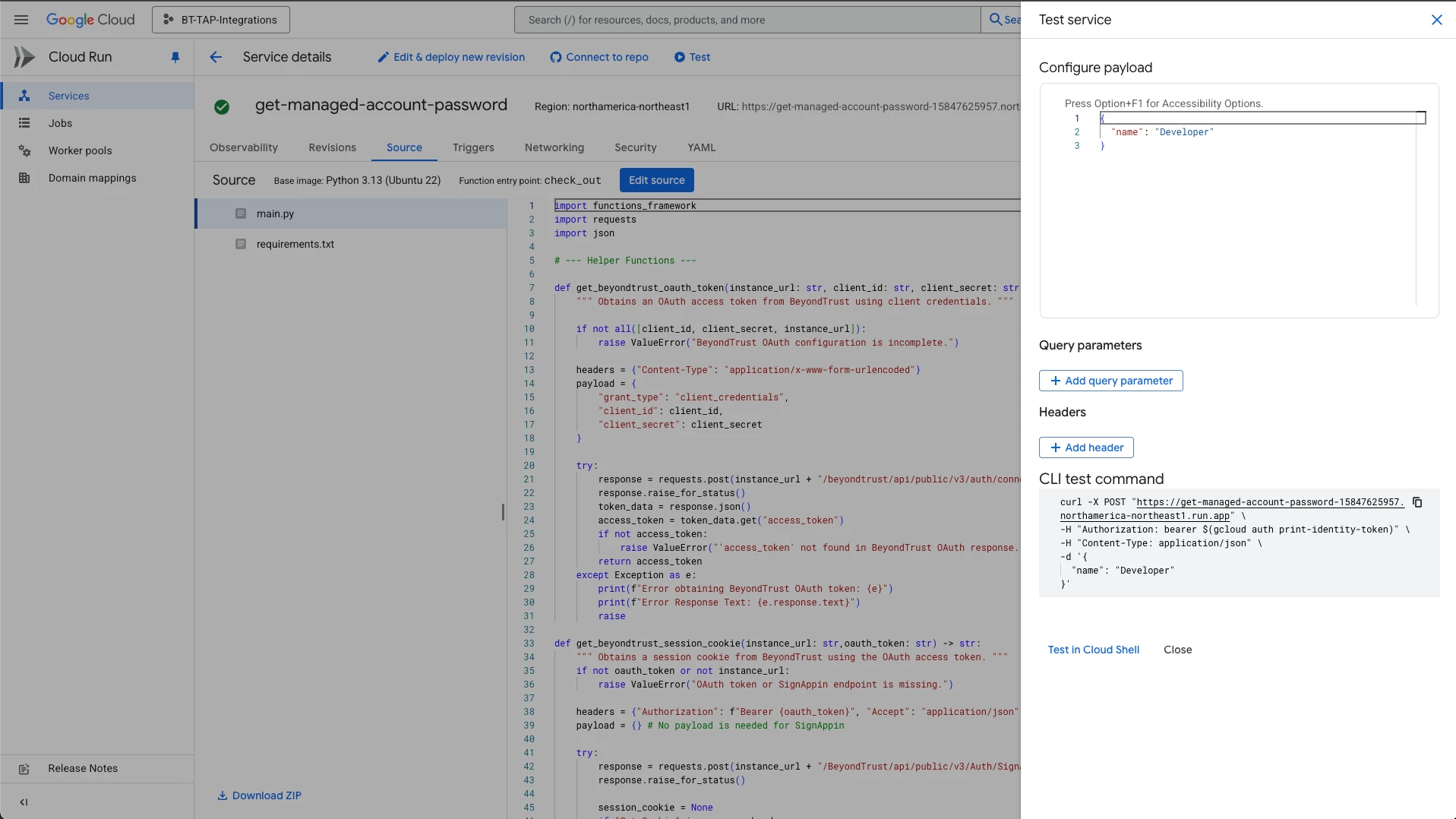
The link for example functions requires an authenticated session:
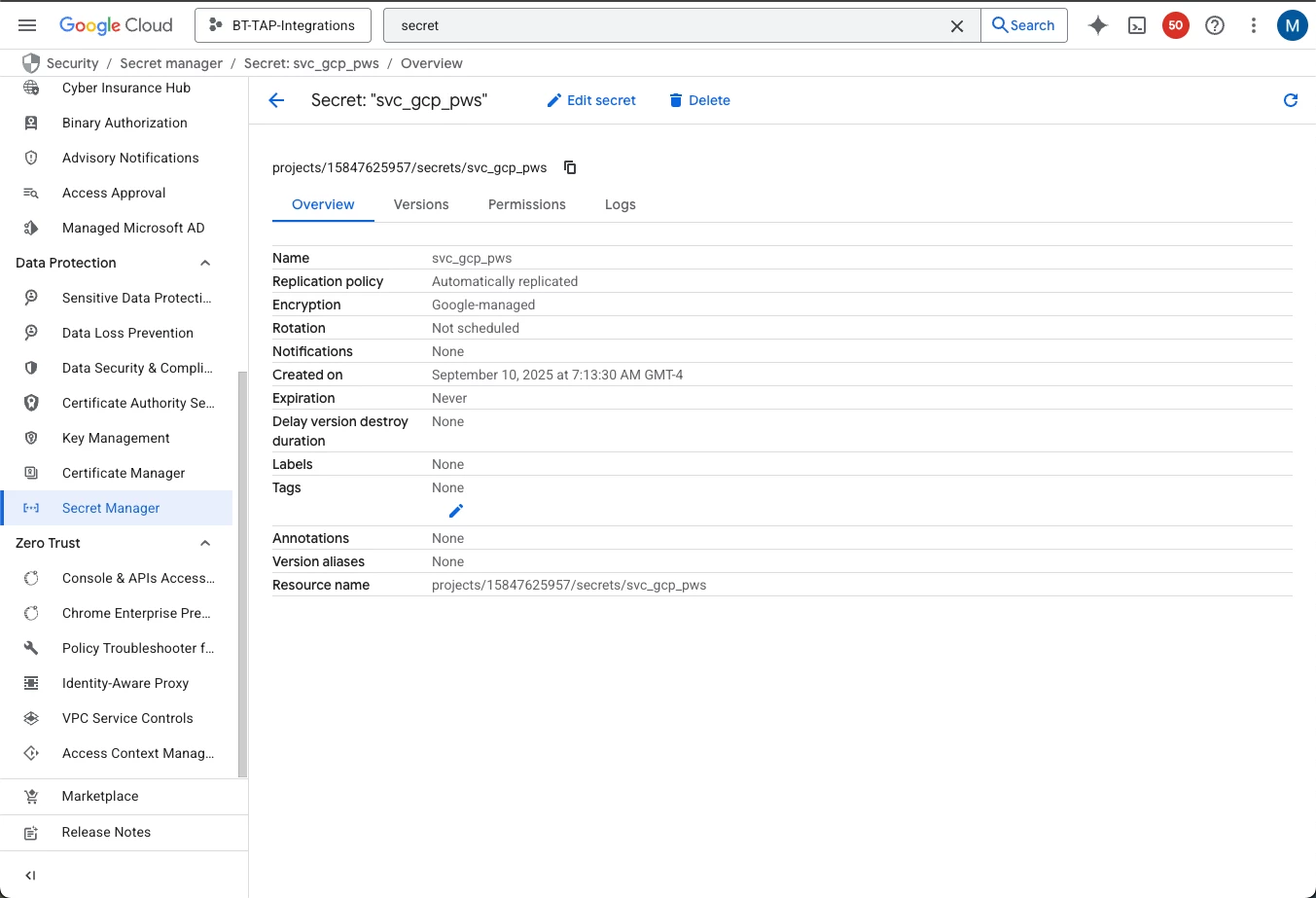
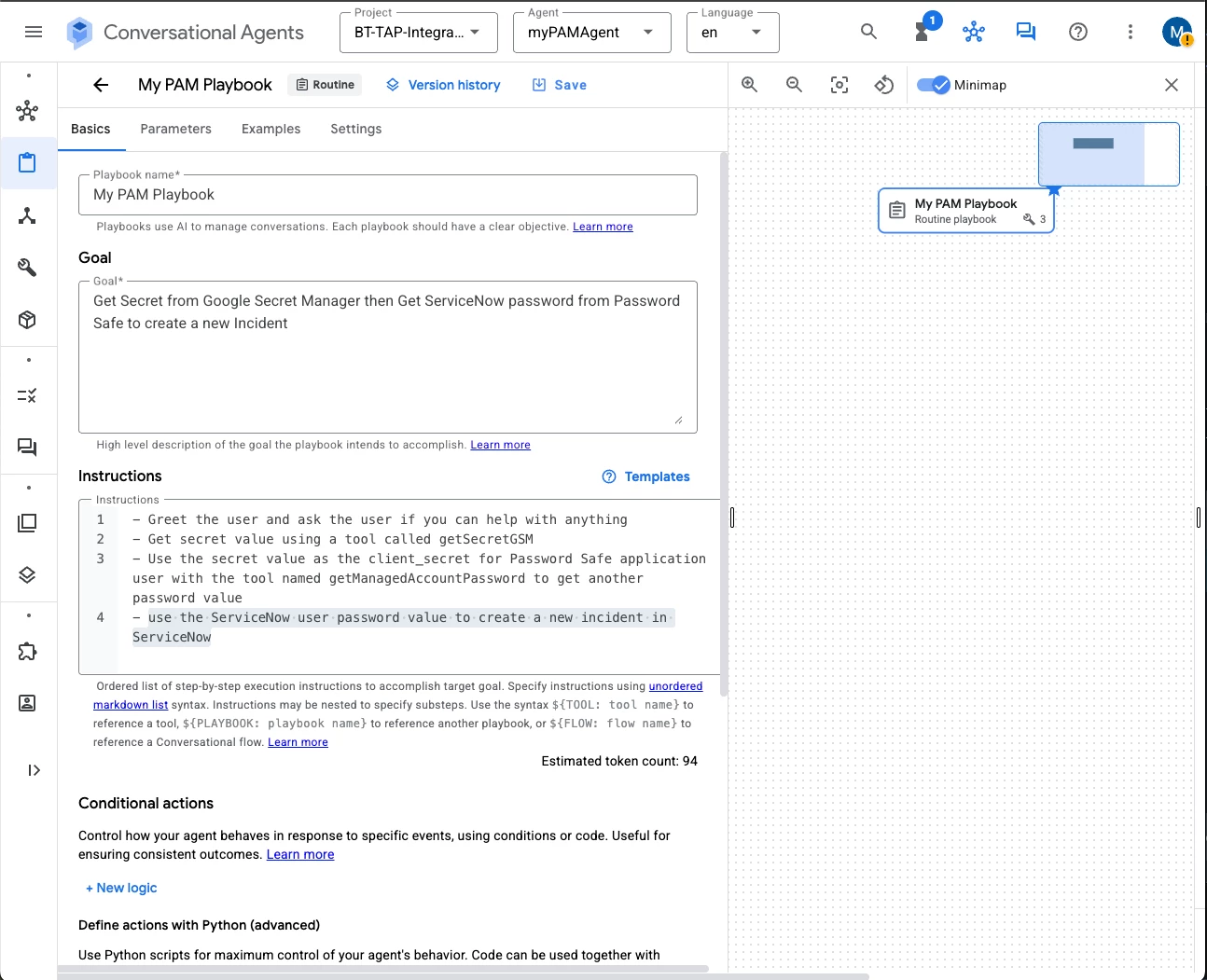
Example instructions:
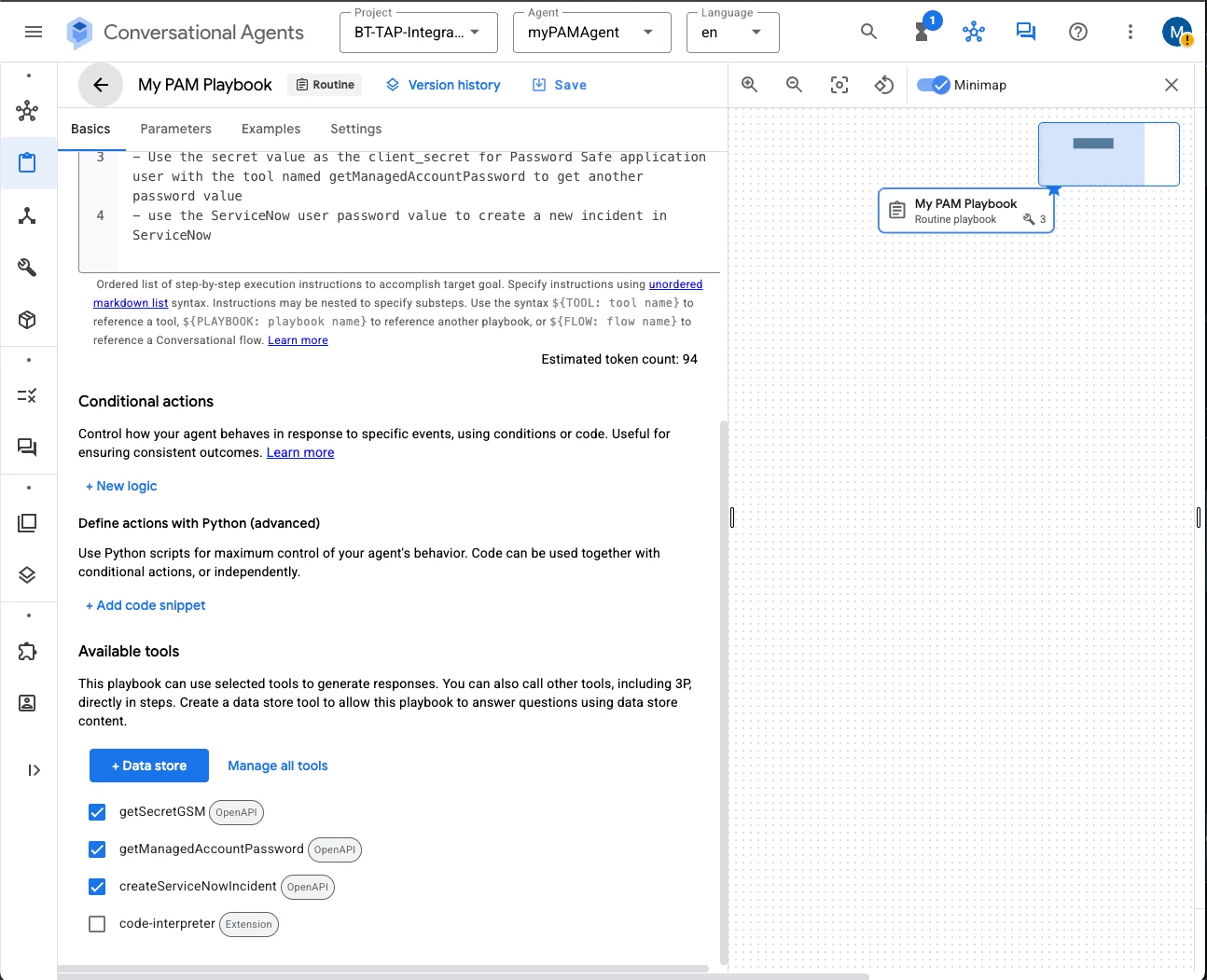
- Greet the user and ask the user if you can help with anything
- Get secret value using a tool called getSecretGSM
- Use the secret value as the client_secret for Password Safe application user with the tool named getManagedAccountPassword to get another password value
- use the ServiceNow user password value to create a new incident in ServiceNow
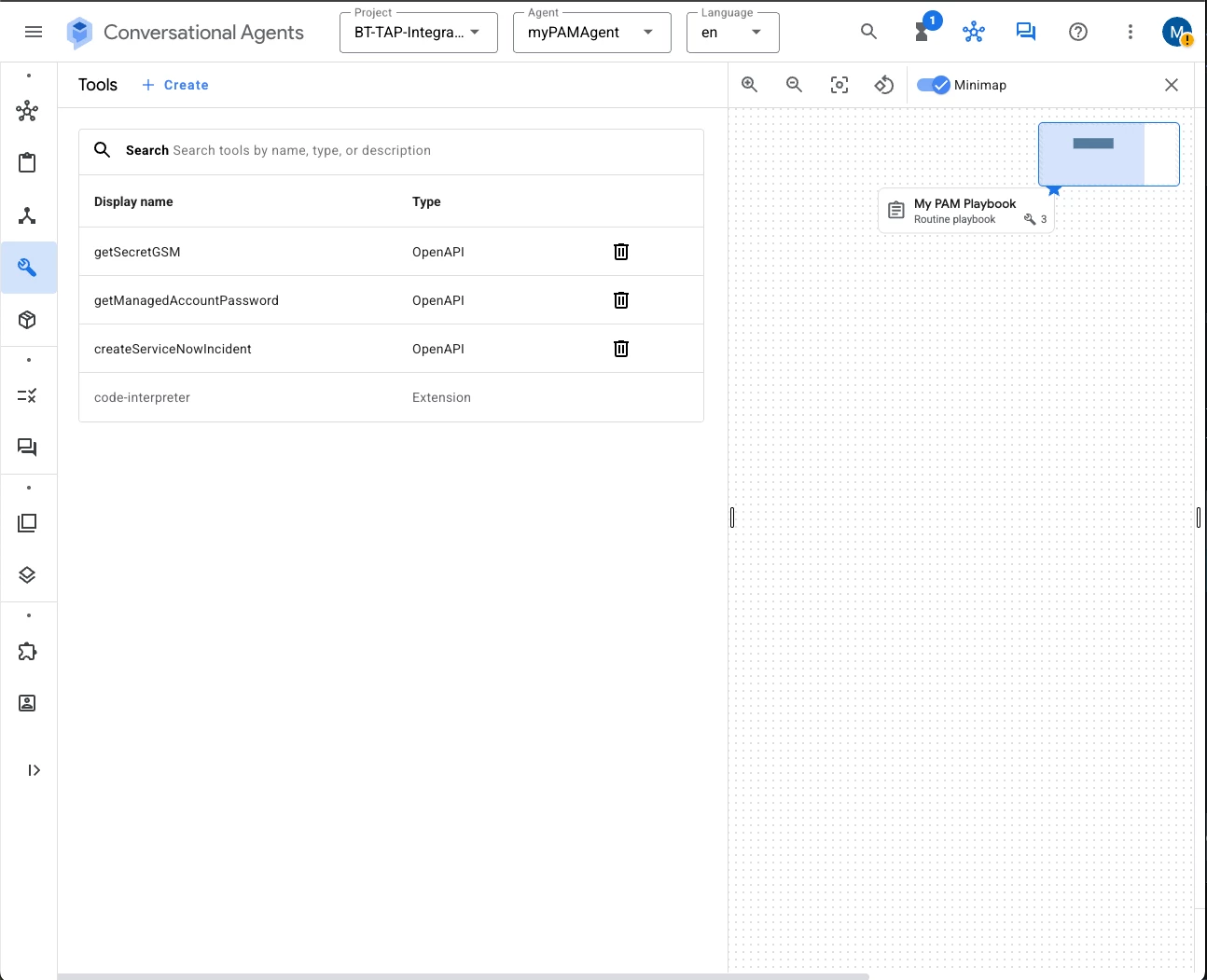
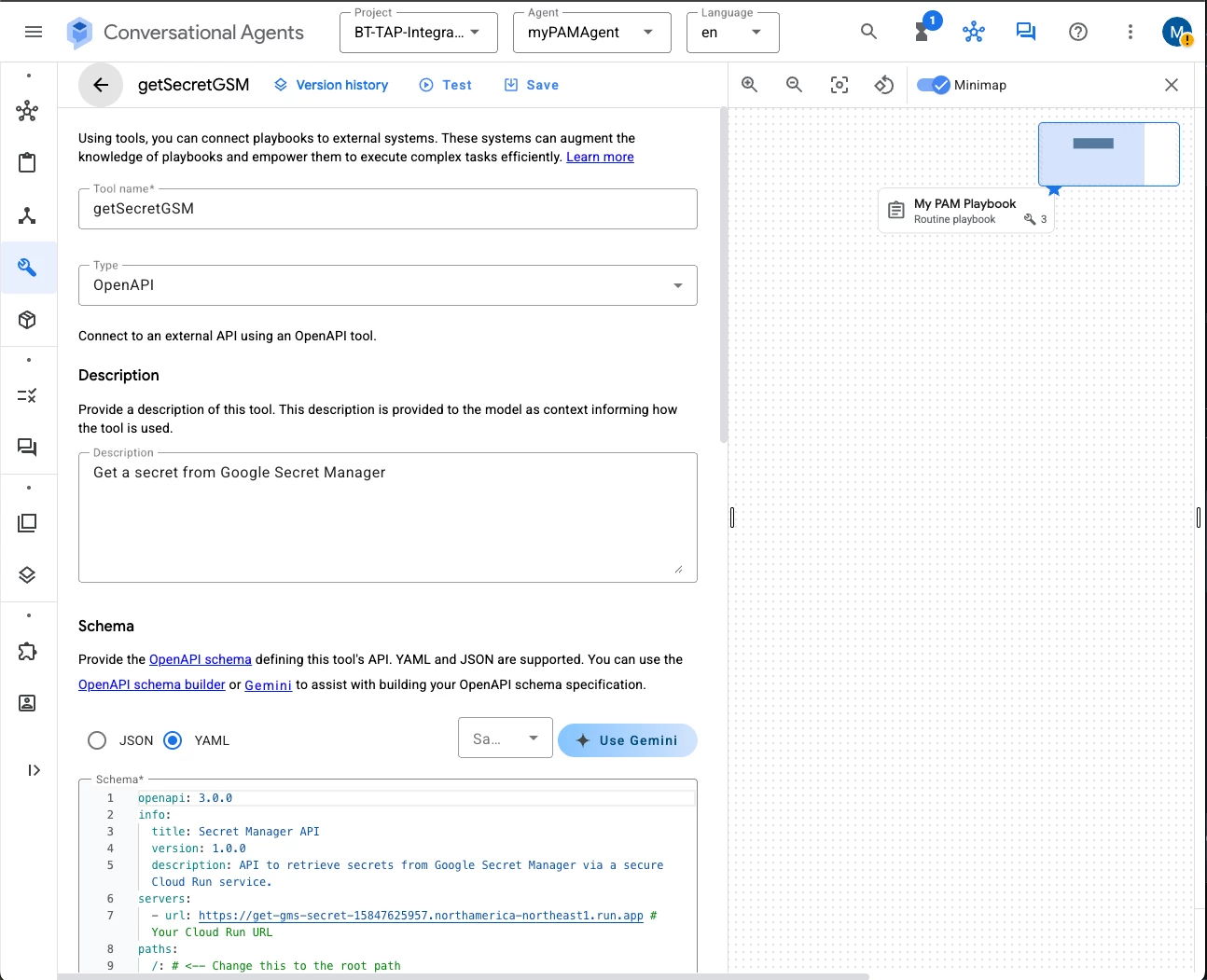
getSecretGSM tool YAML:
openapi: 3.0.0
info:
  title: Secret Manager API
  version: 1.0.0
  description: API to retrieve secrets from Google Secret Manager via a secure Cloud Run service.
servers:
  - url: https://get-gms-secret-15847625957.northamerica-northeast1.run.app # Your Cloud Run URL
paths:
  /: # <-- Change this to the root path
    post:
      summary: Retrieve secret from Google Secret Manager
      operationId: retrieve_secret_from_gsm # A more general operationId
      requestBody:
        required: true
        content:
          application/json:
            schema:
              type: object
              properties:
                google_project_id:
                  type: string
                  description: The ID of the Google Cloud project.
                  example: "bt-tap-integrations"
                gsm_secret_id:
                  type: string
                  description: The ID of the secret in Google Secret Manager.
                  example: "svc_gcp_pws"
      responses:
        '200':
          description: Successful response
          content:
            application/json:
              schema:
                type: object
                properties:
                  secret_value:
                    type: string
                    description: The retrieved secret value.
        '400': # Added based on your python function's error handling
          description: Bad Request - Invalid input
        '404':
          description: Not Found - Secret ID not found or general error
        '500': # Added based on your python function's error handling
          description: Internal Server Error
This is the YAML for getManagedAccountPassword:
openapi: 3.0.0
info:
  title: Get Managed Account Password API
  version: 1.0.0
  description: API to retrieve managed account password
servers:
  - url: https://get-managed-account-password-15847625957.northamerica-northeast1.run.app
paths:
  "/get-password":
    post:
      summary: Retrieve managed account password
      operationId: getManagedAccountPassword
      requestBody:
        description: Request body containing client credentials and managed account details
        required: true
        content:
          application/json:
            schema:
              type: object
              required:
                - client_id
                - client_secret
                - instance_url
                - managed_account_name
              properties:
                client_id:
                  type: string
                  description: Client ID
                client_secret:
                  type: string
                  description: Client secret
                instance_url:
                  type: string
                  description: Instance URL
                managed_account_name:
                  type: string
                  description: Managed account name
      responses:
        "200":
          description: Successful retrieval of managed account password
          content:
            application/json:
              schema:
                # Change the type to object and remove the array structure
                type: object
                properties:
                  managed_account_name:
                    type: string
                    description: Managed account name
                  password:
                    type: string
                    description: Managed account password
And this is the YAML for createServiceNowIncident:
openapi: 3.0.0
info:
  title: ServiceNow Incident Creation API
  version: 1.0.0
  description: API to create incidents in ServiceNow, linking to BeyondTrust requests.
servers:
  - url: https://tap-create-servicenow-incident-15847625957.northamerica-northeast1.run.app # <-- REPLACE WITH YOUR ACTUAL CLOUD RUN URL
paths:
  /: # The root path where your create_servicenow_incident_request function is deployed
    post:
      summary: Create a ServiceNow Incident
      operationId: create_servicenow_incident # A unique identifier for this operation
      requestBody:
        required: true
        content:
          application/json:
            schema:
              type: object
              properties:
                instance_url:
                  type: string
                  description: The base URL of your ServiceNow instance (e.g., "https://your-instance.servicenow.com").
                  example: "https://dev12345.servicenow.com"
                username:
                  type: string
                  description: The ServiceNow username for authentication.
                  example: "agent_user"
                password:
                  type: string
                  description: The ServiceNow password for authentication. # For security, consider how to provide this securely.
                  example: "your_servicenow_password"
                incident_short_desc:
                  type: string
                  description: A brief summary of the incident.
                  example: "BeyondTrust password checkout requested for svc_gcp01"
                incident_description:
                  type: string
                  description: A detailed description of the incident, potentially including context from the BeyondTrust request.
                  example: "Password checkout initiated for managed account 'svc_gcp01' via AI agent. BeyondTrust Request ID: 121"
                managed_account_name:
                  type: string
                  description: The name of the managed account associated with the incident.
                  example: "svc_gcp01"
                request_id:
                  type: string
                  description: The unique identifier from the BeyondTrust password release request.
                  example: "121" # Example of a string ID
              required:
                - instance_url
                - username
                - password
                - incident_short_desc
                - incident_description
                - managed_account_name
                # Note: request_id is not marked as required here, aligning with how it's handled in the python code (checked with 'if bt_request_id:')
      responses:
        '200':
          description: Successfully created the ServiceNow incident.
          content:
            application/json:
              schema:
                type: object
                properties:
                  incident_num:
                    type: string
                    description: The number of the created ServiceNow incident.
                    example: "INC0012345"
        '400':
          description: Bad Request - Invalid input provided to the function or ServiceNow API.
          content:
            application/json:
              schema:
                type: object
                properties:
                  error:
                    type: string
                    description: Description of the bad request.
        '401':
          description: Unauthorized - Authentication failed with ServiceNow.
          content:
            application/json:
              schema:
                type: object
                properties:
                  error:
                    type: string
                    description: Description of the unauthorized access.
        '500':
          description: Internal Server Error - An error occurred during incident creation.
          content:
            application/json:
              schema:
                type: object
                properties:
                  error:
                    type: string
                    description: Description of the internal server error.
Other aspects like permissions that need to be granted for the service account or principal for the Agent, to allow access to Cloud Runs and other services, are beyond the scope of this article. Using an assistant like Gemini to configure the permissions and settings is a good practice.