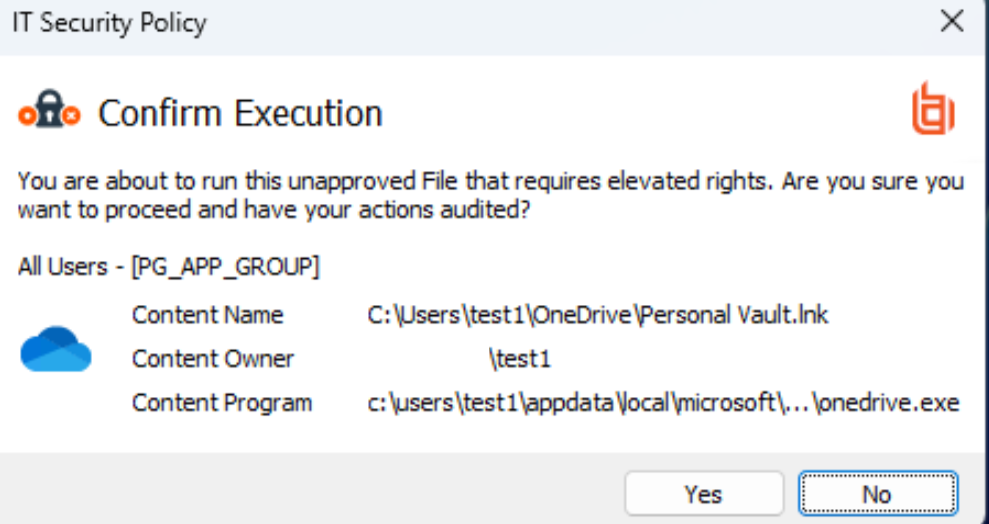
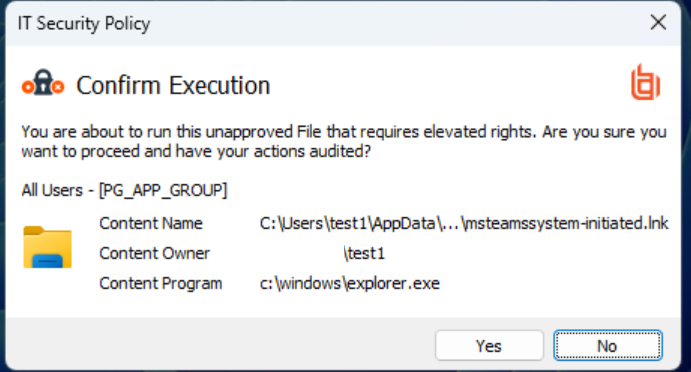
Based on your screenshot this looks to be hitting a Content Rule you have configured under “All Users”, not an Application Rule.
I’d suggest reviewing your policy (Workstyles > All Users > “Content Rules” tab) to double check which of those rules have “Allow Message (Yes / No)” configured on them.
This certainly looks like a policy misconfiguration, as there is no reason that interactions with these content items should require any elevated rights.
As per Neil’s suggestion I would review the underlying configuration which is producing these messages (the associated audit events will provide the necessary details to isolate this, if it is not clear), but this should not be a case of allowlisting these items - it is correcting the misconfiguration which is causing this to occur in the first place.
Badge Earners
Matthew Spencerhas earned the badge BCA: Privileged Remote Access
Devcohas earned the badge BCIE: Privileged Remote Access
Thota Padmaraohas earned the badge BCA: Endpoint Privilege Management - Windows