
Question
PS Automate unable to launch the browser
This is with regards to Ps automate script unable to launch the browser from RDS session.
We are trying to launch the web application from BT cloud instance.
In order to test we tried to install ps automate and chrome/edge drivers on RDS
However when we are executing below command from Path C:\Program Files\BeyondTrust\pbpsmon,
ps_automate.exe ini="BIWebApp.ini" username="username" password="password"
TargetURL="https://localhost/WebConsole/index.html#!/dashboard" BrowserName="chrome"
We are getting error message which says "Subscript used on non-accessible variables"
Below is sceenshot of error
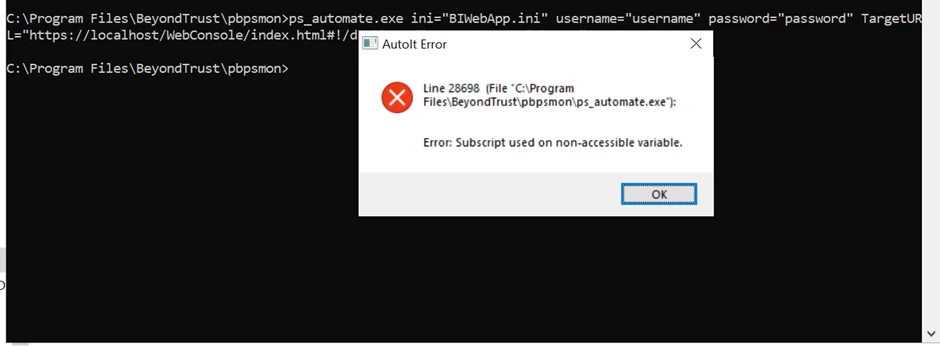
Can anyone please check and help.
Regards,
Imran Aliyani




