
Question

PwdSafe RDP Proxy failing to connect

  • February 13, 2026
  • 1 reply
  • 0 views

Forum|alt.badge.img+2

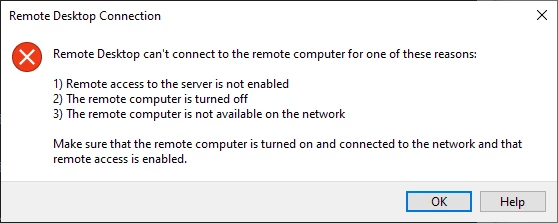
I had some issue with my RDP Proxy when being initiated. It comes up with an error like below. The RDP file is being successfully downloaded but when launched, I get this. I am using a load balancer between my client and the appliance. Is there something I am missing? 

I tried to bypass my load balancer connection and just updated my local hosts file to point directly to the appliance and the RDP proxy works but if I use it with my load balancer, it fails with this.



1 reply

GloriaB
BeyondTrust Employee
  • BeyondTrust Employee
  • February 13, 2026

You may need to add the Load Balancer name to the RDPHOSTADDRESS on each appliance, so that the name is resolved in the environments where the FQDN is required.  

1. RDP to the U-Series Appliance and open the registry (regedit)

2. Navigate to the path: HKEY_LOCAL_MACHINE\SOFTWARE\Wow6432Node\BeyondTrust\PBPS\SessionManager\rdp_proxy

3. Look for a value called rdphostaddress. If it is not there, Right-click and select New and choose STRING value

4. Type in rdphostaddress and click Enter

5. Double-click rdphostaddress and enter your load balancer name

6. Restart the "BeyondInsight Session Monitoring" service. 


If that does not work, open a case with BeyondTrust Support.



