Everything you need to know about this community
Recently active
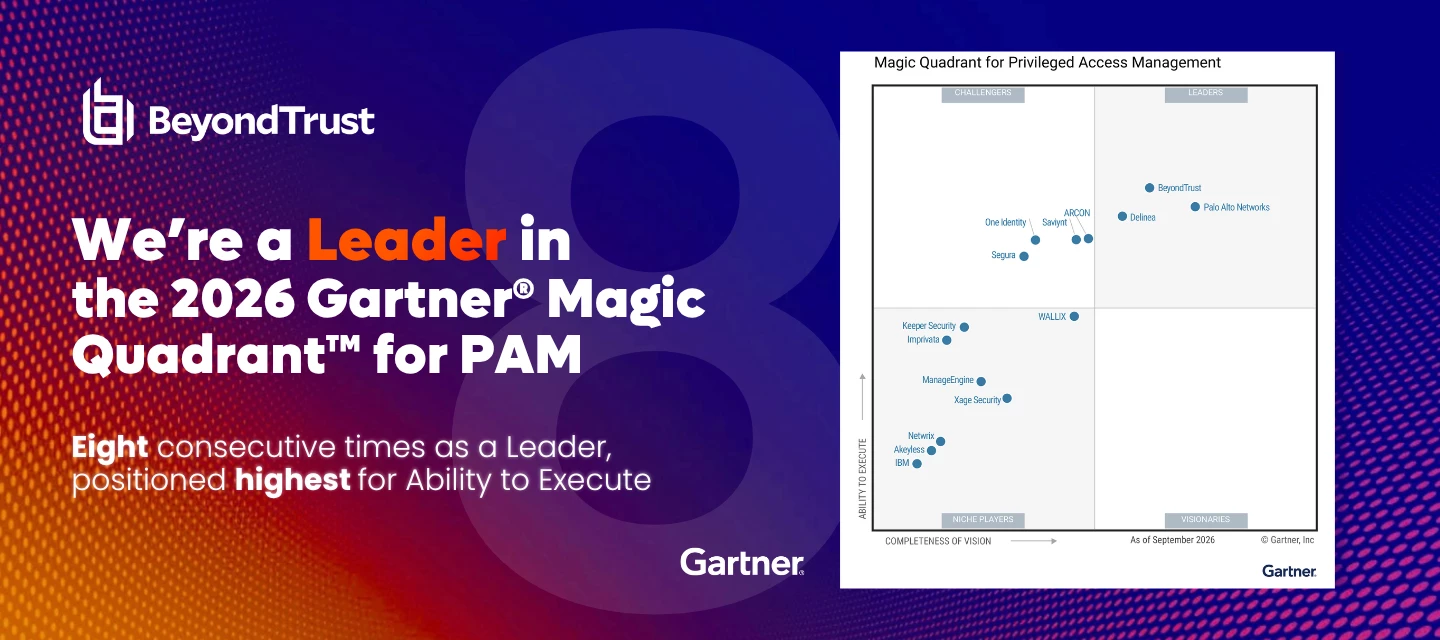
BeyondTrust Named A Leader in the 2026 Gartner® Magic Quadrant™ for Privileged Access Management Report Eight consecutive times as a Leader. We're thrilled to share that BeyondTrust has once again been recognized in the 2026 Gartner Magic Quadrant for Privileged Access Management. This year, BeyondTrust is also positioned highest among evaluated vendors on Ability to Execute.In our view, this recognition reflects a year of innovation in privilege-centric identity security. We're extending visibility, intelligence, and protection across every identity that can exercise privilege, and here's how:BeyondTrust Pathfinder Platform: Advanced new native capabilities that bring identity visibility, intelligence, protection, and governance together on a unified platform. True Privilege™ Analysis: Enhanced our ability to uncover hidden Paths to Privilege™, provide deeper identity context, and help security teams investigate and remediate identity risk more efficiently. AI and Non-Human Identity (
Hello, everyone! As a quick reminder, the third Tuesday of every month is our predictable home for patches and maintenance releases across the self-hosted (aka on prem) portfolio. This cycle covers RS and PRA Base Software in August. Here's what's coming and when: RS & PRA Base Software 7.1.0, 7.2.1, 7.3.0, 7.4.0, 8.0.0, 8.1.0, 8.2.0 and 8.3.0For more information, please reference this knowledge article - What is included in SRA August 2026 monthly patch 2026-AUGUST-ROLLUP-BASE ? While there will be other maintenance activities for our SaaS customers, these are all handled by BeyondTrust’s teams, and will not affect service / functionality / availability / versions. If you encounter any issues post-update, please engage with support. If you have questions or feedback on this month's cycle, reach out to customer.success@beyondtrust.com. We're listening. All the best, Sean Cashin Chief Customer Officer
A short, friendly note for anyone who self-manages BeyondTrust software. Security is a moving target, and the single best way to stay ahead of it is to run a current, fully supported version of the products you rely on. That thinking is behind a change we're rolling out, and I wanted you to hear it directly from me. If you're one of our SaaS customers, this isn't something you need to think about - we handle patching and upgrades for you, so you never fall out of our support window. For our on-prem / self-hosting customers, starting this week you'll begin to see friendly reminders in the Support Portal, here on BeeKeepers, and in your support cases. Those reminders will let you know that if you're running a version more than two years past its initial release, you should focus on getting to a more current version of your solution. This isn't a new rule; we've always supported each major version for two years from its general availability (GA) date; we're simply going to be more consist
We’ve redesigned the Pathfinder documentation navigation around goals and tasks, so you can find what you need based on what you’re trying to do rather than where a feature lives in the product.This is a beta release. Explore the new structure and let us know what you think. Click here to visit the beta
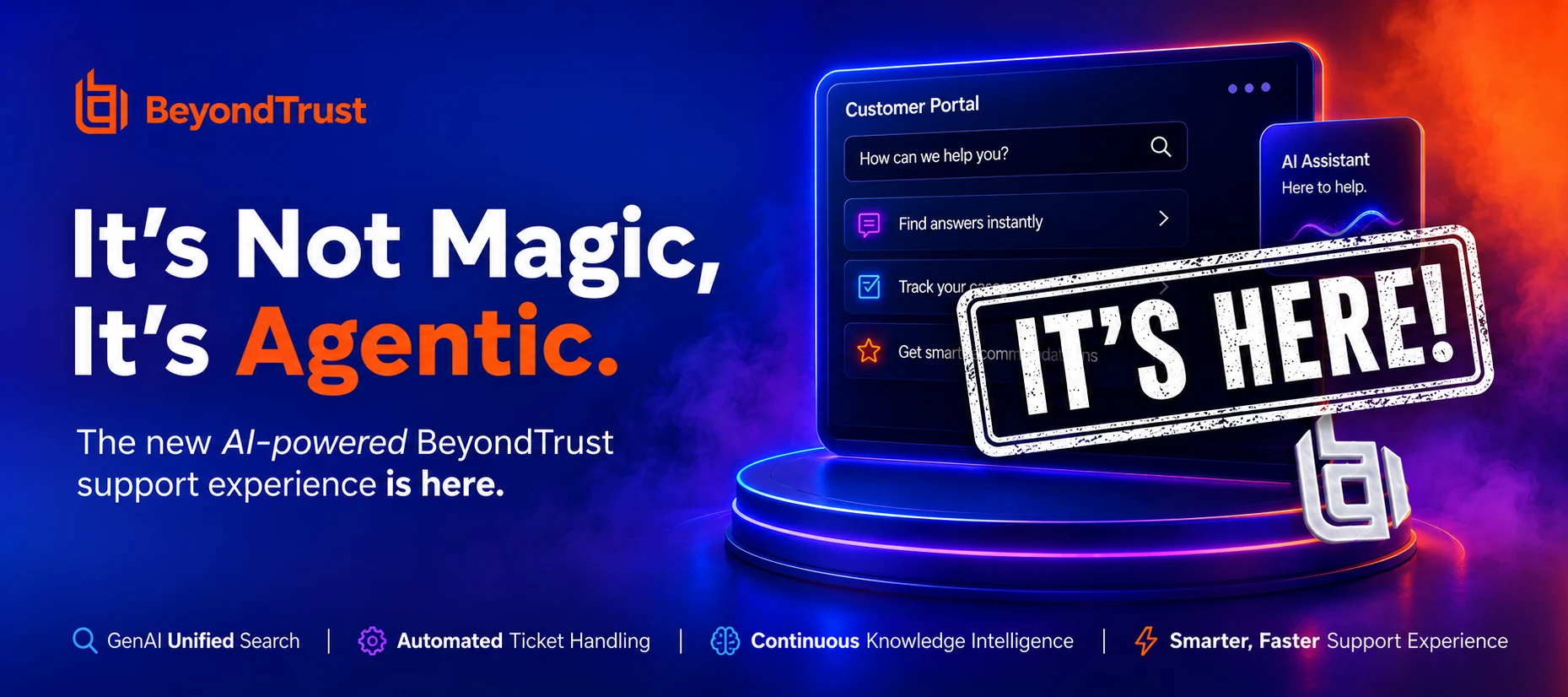
Support just got faster. And now it talks back.Starting today (August 17th), you can chat with BeyondTrust's Agentic Support in real time. No ticket, no queue, no waiting for a reply to land in your inbox, just open the chat and start typing.Behind the chat is the same agentic AI that's already been working your cases: it understands context (situational information, background, problem statement etc.), searches our technical documentation and knowledge base, and surfaces the next step while you're still in the conversation. When human expertise is needed, it hands off cleanly, with the full thread already in hand, making sure you have the ticket number for reference.Same team. Same expertise. A shorter path to an answer.What does "agentic" support actually mean?This isn't a chatbot throwing canned answers at you. Agentic AI is fundamentally different it understands context, reasons about your issue, and acts the way an experienced engineer would. From the moment you open a ticket, the
Hello, everyone! We're back with the second instalment of our Monthly Patch Day at BeyondTrust. As a quick reminder, the third Tuesday of every month is our predictable home for patches and maintenance releases across the self-hosted (aka on prem) portfolio. This cycle covers EPM Windows Agent only in June. Here's what's coming and when:EPM Windows Agent: 26.1.59 (June 16)The new EPM Windows Agent release 26.1.59 is tentatively scheduled for Tuesday, June 16. This is a client-side upgrade which will be in the control of your EPM administrators to roll out.For more information, please reference this knowledge article - KB0023678 While there will be other maintenance activities for our SaaS customers, these are all handled by BeyondTrust’s teams, and will not affect service / functionality / availability / versions. If you encounter any issues post-update, please engage with support. If you have questions or feedback on this month's cycle, reach out to customer.success@beyondtrust.com. W
Your privileged access strategy just got a lot easier to master. Become a Total PASM expert, on your terms. Our newest Success Included course is now available on demand and free. Build the skills to take complete control of privileged accounts and put them to work right away. The course is designed to gain the skills to discover, secure, and manage privileged accounts with confidence. Move through the material at your own pace, revisit the modules that matter most, and finish ready to take command of privileged access in your own environment. What Is Total PASM? Total PASM is BeyondTrust’s answer to one of the biggest challenges in IT security: knowing who has privileged access, what they’re doing with it, and how to keep it under control. It combines two industry-leading solutions into one powerful bundle:Password Safe automates privileged asset discovery and onboarding, and manages privileged passwords, DevOps secrets, SSH keys, and more. Privileged Remote Access delivers best-in-c
AI Agents Are Here. Is Your Security Ready? AI Agent Security is officially live, and we’re launching new training to go with it. AI agents are no longer a “someday” technology. They’re booking, querying, coding, and acting on your behalf right now, often with real access to real systems. That’s powerful. It also raises a question every organization needs to answer: who’s keeping the agents in check?That’s exactly the gap AI Agent Security closes. Secure your AI agents with confidence.Discover how AI Agent Security closes the gap between innovation and control in our two hour live workshop. Learn the core principles, key terminology, and dependencies that power the platform, then see how to get started and how its enforcement model keeps every agent in check. Your AI agents are ready to work. Make sure they work safely. What you’ll walk away with The “why”: what AI Agent Security is and the organizational gap it fills The “what”: core principles, key terminology, and what the platfor
EPM Windows and Mac certification just got simpler. Instead of moving between two separate courses, admins now learn application control and privilege elevation across both platforms in one instructor-led course — shared concepts taught once, platform differences called out where they matter. One course, one certification, less time away from the job.What's Changed One course, not two – The EPM Windows & Mac Certification course now delivers 20 hours of instruction and lab exercises in a single class (previously 24 hours split across two separate courses). 1 week instead of 2 – Certification training now runs in one week rather than two. One certification, two operating systems – A single credential now covers both Windows and macOS. FAQ What if I only purchased Mac training? Any training you've already purchased is still fully supported. How do I take the new combined course? Enroll using the key provided at the time of purchase. Will the certification cover both W
Hello Community,I have been asked to provide some clarification regarding the security controls available in BeyondTrust PRA for file transfers from unmanaged or personal endpoints to customer-managed systems.From a security perspective, the concern seems valid. Since PRA enables privileged remote access from virtually any internet-connected device, allowing unrestricted file transfers or simple copy/paste operations from personal computers to managed assets could introduce risks such as malware propagation, unauthorized data transfer, or policy violations.I am interested in understanding what security mechanisms PRA provides to mitigate these risks. For example:Are file transfer and clipboard redirection subject to granular policy controls? Can transfers be restricted, approved, or audited? Are files inspected, logged, or scanned before reaching the target system? Is there any integration with endpoint security or DLP solutions? What best practices are typically recommended to prevent
As identity security rapidly advances, staying ahead requires the right skills. BeyondTrust University is proud to introduce the newly launched Entitle Administration Certification, designed for professionals committed to deepening their capabilities in identity governance, access control, and privilege management.This isn’t just another certification. It’s your gateway to mastering one of the most modern, intelligent, and scalable identity security solutions on the market. Why Earn the Entitle Administration Certification?· Become the identity expert everyone trusts - Master identity governance and streamline access with confidence.· Boost your career with in‑demand IAM skills - Stand out with expertise across Entra ID, Okta, AD, and more.· Drive efficiency with automation and smart policies - Cut manual work and accelerate access workflows.· Strengthen security with actionable insights - Spot excessive permissions and risky accounts early.· Imp
Hi,Is there a way to send a notification to all users currently logged into Password Safe Cloud to inform them of an upcoming brief outage?I'm not referring to the Logon Banner, which is displayed prior to authentication. Instead, I'm looking for a way to notify users who are already logged in and actively using the platform.Any suggestions would be appreciated.
Qurestion for beekepers , has anyone onboarded XEN hypervisor as password sase does not have a platform for this as default . Require guidance on how we can onboard XEN hyperviors onto PS
Something big is on the way and it's going to change how you experience BeyondTrust Support. We've been listening. You've told us what matters most when you open a case: answers. This includes fast acknowledgement, clear next steps, predictable communication, and a sense that someone (or something) is on it. So we built for exactly that. Coming soon, BeyondTrust Support is rolling out an agentic AI layer on the front line of our support experience. An always-on, intelligent teammate that works alongside our support engineers to get you moving faster than ever. What is "agentic" support, really? This isn't a chatbot that throws canned answers at you and calls it a day. Agentic AI is fundamentally different, it understands context, reasons about your issue, and acts the way an experienced engineer would. When you open a ticket, the agent will be ready to: Acknowledge almost instantly — no more waiting in queue to know your case is being worked Triage with intelligence — read your descri
Remote Support Labs is the new BeyondTrust community space for building what’s next in secure remote support. Explore and share practical scripts, API‑driven workflows, and lightweight apps that extend BeyondTrust Remote Support, helping service desks work faster, automate safely, and deliver better support experiences.https://beekeepers.beyondtrust.com/groups/remote-support-labs-95
For a limited time, you’re invited to BeyondTrust University’s FREE Product Spotlights series, where our experts go live to showcase popular features, practical tips, and real‑world use cases designed to make everyday admin work simpler, faster, and more efficient. Learn smarter workflows See features in action Walk away with practical takeaways Save your spot and join us live![Enroll now!] Upcoming Workshop Topics Scaling Support in Realtime with Remote SupportDiscover secure, in‑session collaboration for both internal and external teams—backed by clearly enforced session policies. Learn how to scale support for growing organizations using refined group policies, with a focus on Team Leads and Team Managers. Managing Assets with Privileged Remote AccessLearn how to quickly configure Privileged Remote Access to onboard assets and connect to endpoints using an approval‑based workflow—streamlining secure access without added complexity. Using QuickStart and Collecting Logs with End
I can log into the portal but when I click on links for KB articles or cases nothing happens. If I use a direct link to a KB article I get a message that it was not found. Is anyone else experiencing problems or do I need to look for issues on my ends?
What is the best practice for configuring IP rules on APIs when the servers’ external IP addresses change frequently?
Hello, everyone! [UPDATED to include additional version information] Today marks our very first Monthly Patch Day at BeyondTrust, and I'm thrilled to see our new monthly cadence officially in motion. As you'll remember from our earlier announcement, the third Tuesday of every month is now the predictable home for patching & maintenance across the portfolio - and today, April 21st, kicks things off. This inaugural release covers Remote Support and Privileged Remote Access. For our self-hosted customers, this one is flagged as a disruptive patch. If you're opted in to automatically apply disruptive patches at a set time, your appliance will take care of the update on its own - nothing for you to do. If you aren't opted in, you'll need to apply it manually at a time that works for your team. If you're unsure about your current automatic update settings or want to adjust them, this KB article walks you through everything you need to know. As always, BeyondTrust strongly recommends opti
Is anybody aware of CVE 2026 20833 Impacting Password Safe Cloud and PRA? Microsoft will discontinue the RC4 algorithm in Kerberos.!--endfragment>!--startfragment>
!--startfragment>I recently onboarded several managed accounts into Password Safe and synchronized them with my secret cache. Since these accounts are designated as break-glass accounts and are not actively used, I wasn’t expecting to see a last logon in AD associated with them. Could you explain why that information is appearing? Maybe Password Safe password change process.!--endfragment>
Tell Us What You Want to LearnWe’re opening up a new series of informal, instructor‑led sessions, and we want your input to decide what topics we cover next. If there’s a feature you’ve been curious about, a concept you’d like explained more clearly, or an area of a product you’d like to explore in more depth, this is your chance to tell us. Share the topics you’d like our instructors to walk through, and we’ll build short, discussion‑focused sessions around the most requested ideas. We’ll be collecting suggestions until March 27th, and then our instructors will schedule sessions based on the themes you submit. To keep these sessions useful and relevant for everyone, a few guidelines:This isn’t a space for troubleshooting, error messages, or support‑ticket issues. We can’t address environment‑specific setups or consulting‑style questions. Topics should be broad enough for an instructor to cover without formal labs.We look forward to hearing from you!
With Success Included, BeyondTrust University now offers complimentary, self-paced eLearning courses designed to empower system administrators with the skills to configure and manage our products using industry best practices. Our goal is to equip learners with the knowledge needed to maximize the value of their investment with BeyondTrust. Because your success is our mission. Learn with BeyondTrust University now » Why Success Included? 100% free product training - Unlock full access to expert-led eLearning at no cost Go beyond one product - Understand how BeyondTrust solutions work and how they interact with each other Onboard with confidence - Get up to speed either before your implementation or in general Self-service efficiency - Review, retain, and revisit content anytime to reinforce your knowledge Stay current - Get the latest product enhancements & best practices What's included?All self-paced content in our BeyondTrust University library All Admin self-paced training for
In an on-premises Password Safe and PRA environment using the PASM model:I have two jumppoint clusters in PRA.Is it possible to configure certain servers, for example, the production area, to establish connections through the PRD jumppoint cluster, and for development servers, to establish connections through the QA jumppoint cluster?Could you please guide me on whether I should create multiple workgroups in Password Safe and configure them in PRA, and if so, how?Thank you.
Due to an issue impacting Amazon Web Services (https://health.aws.amazon.com/health/status), customers may experience issues accessing their products once authenticated to Pathfinder. While AWS systems are recovered, some functionality may be degraded. At this time BeyondTrust services for Pathfinder are operational. More updates will be posted here as more information is available. Update: 2025-10-20 7:00 pm ET - The majority of Pathfinder services have been restored and are now operational. We are actively monitoring the AWS situation and will provide further updates as needed.Update: 2025-10-20 11:15 am ET - Authentication is now failing for the Pathfinder Platform due to degraded Amazon Web Services
Already have an account? Login
Enter your E-mail address. We'll send you an e-mail with instructions to reset your password.